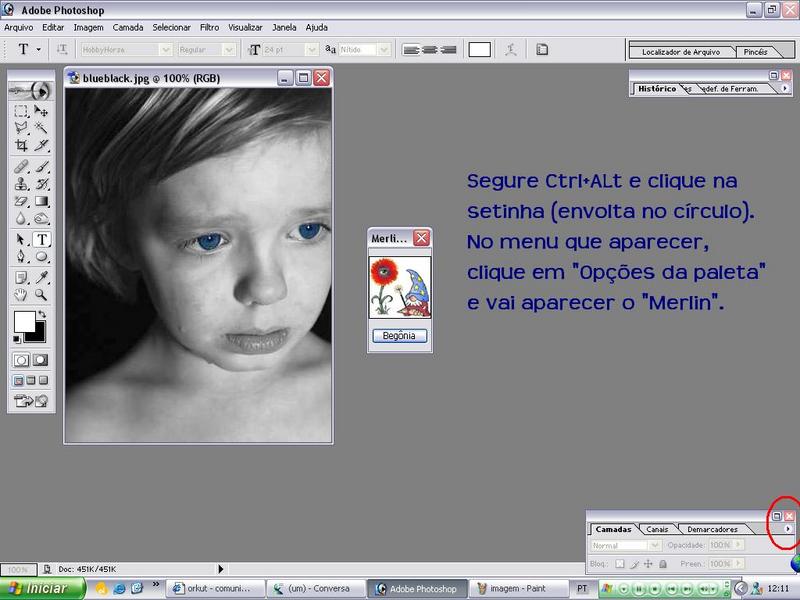
Photoshop Easter Egg - Merlin Abracadabra
1.Hold down Ctrl + Alt
2.Click the small arrow on the layer pallette
3.Choose layer option
4.Begone!
| User Rating: |
5.9
5.9/10 with 306 votes
|
| Contributed By: |
Eddie on 07-07-1999 |
| Reviewed By: |
Webmaster |
Special Requirements: Windows or Mac platform
Pictures and Videos
 |
| I'm brazilian, so it's in Portuguese. But, there's all you need to know. |
Do you have another one?
Send us a picture or video of this Egg!
Comments