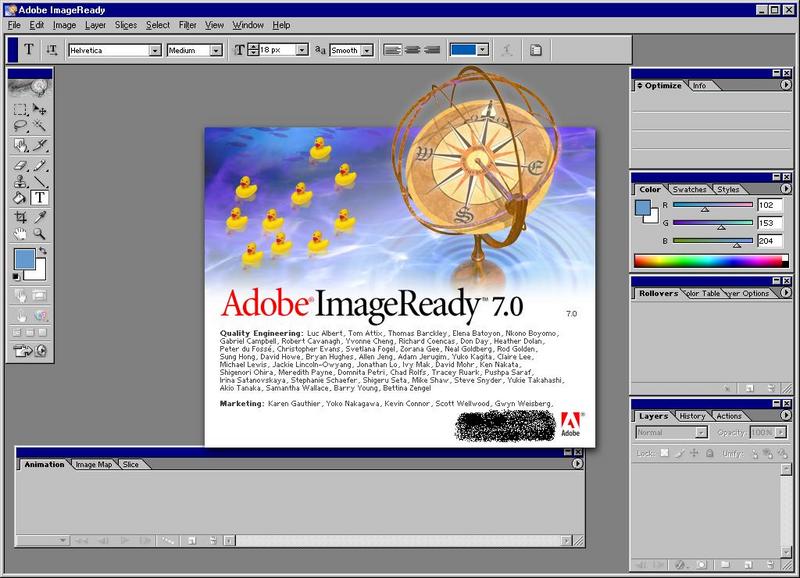
Adobe Image Ready 7.0 Easter Egg - Ducks
1. In Adobe ImageReady 7.0 click on Help >> About ImageReady. There should be a picture of a globe IN WATER.
2. Hold CTRL and the mouse cursor will turn into a stamp tool icon.
3. Click somewhere on the image of the globe, while still holding CTRL.
A small yellow duck will appear. You can do this ten times.
Hold down Ctrl + Alt to bring up a miniscope to shoot the ducks away.
Otherwise, Clear all the ducks by pressing Ctrl +Shift.
| User Rating: |
7.3
7.3/10 with 82 votes
|
| Contributed By: |
joe2cool on 04-23-2004 |
| Reviewed By: |
Jabberwocky |
Special Requirements: Adobe Imageready 7.0 & 8.0
Pictures and Videos
 |
 |
| The ducks in Image Ready 7 |
Image Ready 7 duckies easter egg |
Do you have another one?
Send us a picture or video of this Egg!
Comments