DVD Easter Eggs | Software | Movies | Music | TV | Books | Art Bloopers | Drink Recipes
[Eeggs.com Logo] The Easter Egg ArchiveTM
EEGGS.COM
Google
Web eeggs.com
Home > Software > Application Software > Adobe ImageReady CS2 Easter Eggs Add an Egg | Help | Discussion
   
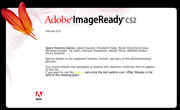
Adobe ImageReady CS2 - Space Monkey Talks About Cowbells!
1. In Photoshop go to the hold down control (option on macintosh) and click "About Photoshop."
2. Now click above the word "protected." If done correctly, nothing should happen.
3. Now wait for the credits to scroll (Alt makes it go faster).
4. When it restarts, you should see the quotes in the area that you clicked in.
Special Requirements:
Adobe Photoshop CS2
Avg. Rating:    4.4 of 10 - (5 votes cast)
Your Rating:   
Contributed By:
Anonymous on 05-09-2006
Reviewed By:

Pictures Click on the thumbnails for a full-size image, or send in your own
Space Monkey Babies
Space Monkey Babies
Comments:
Lain_13 writes:
I'm hold down Ctrl, press Help\About Photoshop... and click free space above first copyright symbol (anywhere under "Version 9.0" word). Nothing happens... I leave Ctrl and hold down Alt key until credits scrolled to end. After this credits start from beginning and monkey begin to talk... p.s. when they say about "top 10" phrases and say all this phrases... wait 3-5 seconds... and read one more phrase...
5 of 5 people found this comment helpful. Did you? Yes
Lain_13 writes:
Oh! I do this in PHOTOSHOP CS2... not in ImageReady CS2...
3 of 3 people found this comment helpful. Did you? Yes


Register - My Settings - FAQ - Privacy Policy - About Us - Contact Us