DVD Easter Eggs | Software | Movies | Music | TV | Books | Art Bloopers | Drink Recipes
[Eeggs.com Logo] The Easter Egg ArchiveTM
EEGGS.COM
Google
Web eeggs.com
Home > Software > Operating Systems > Mac OS 7.5 Easter Eggs Add an Egg | Help | Discussion
   
Mac OS 7.5 - See the Original Mac OS
1. Hold down option.
2. Choose "About this Macintosh"
3. Now choose "About this Finder"
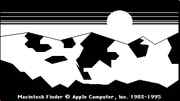
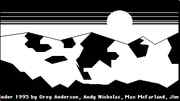
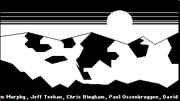
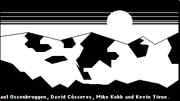
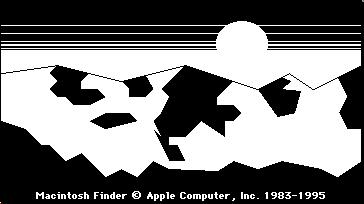
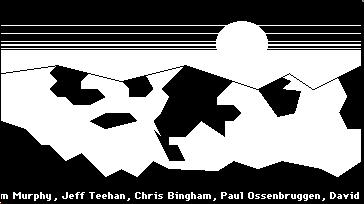
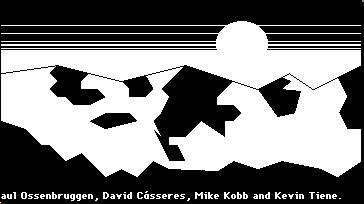
4. You'll get the picture of the original Mac OS
Special Requirements:
None
Avg. Rating:    5.9 of 10 - (42 votes cast)
Your Rating:   
Contributed By:
Michael Chilson on 07-15-1999
Reviewed By:
Webmaster

Pictures Click on the thumbnails for a full-size image, or send in your own
Be the first to send us your picture of this Egg!
Comments:
Callie21V writes:
What he means is that that was the original 'About the Finder' picture from System 1.0. More than you ever needed to know about this egg, including extra things to try and an unused variation of the image: http://www.cupertino.de/pages/archiv/EasterEggs/SYS-Valley.html
4 of 4 people found this comment helpful. Did you? Yes
Dark Reality writes:
This worked for me on System 7.5.1 but the wording was "About the Finder" and I got a black-and-white monochrome sunset over mountains. That's not the original Mac OS is it?
5 of 7 people found this comment helpful. Did you? Yes


Register - My Settings - FAQ - Privacy Policy - About Us - Contact Us