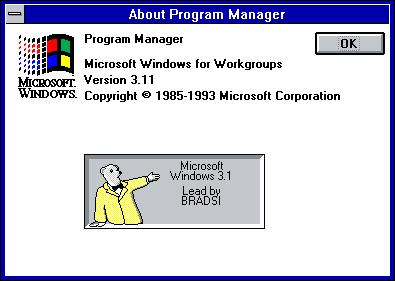
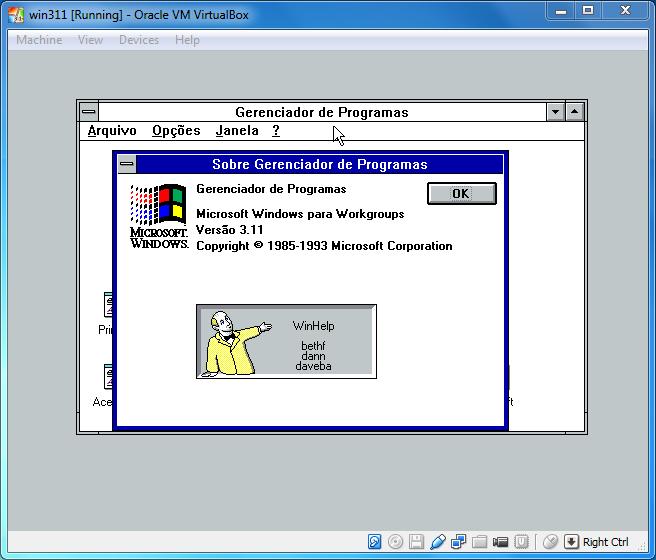
Windows 3.1 Easter Egg - Development Team Credits
1. Hold Ctrl-Alt-Shift. Don't let up on any of these keys throughout the whole procedure.
2. Go to the Help menu of Program Manager and select About Program Manager.
3. There should be a nice colorful Microsoft Windows logo in the upper right hand corner of the window. Double Click on one of the four colors in the logo. Then hit OK.
4. Repeat steps 2 and 3 and click on a different color of the logo. The bottom of the window should change to display an animated waving window and some different text.
5. Repeat steps 2 and 3 once more and click on a different color of the logo. The bottom of the window will change once more to display a person and a chalkboard with the programmers' names scrolling on it.
6. Repeat the whole procedure several times more, using different color combinations. You should get different people in the final picture, and even a bear (or some sort of furry animal) if you're lucky.
| User Rating: |
7.0
7.0/10 with 59 votes
|
| Contributed By: |
Fizix on 07-15-1999 |
| Reviewed By: |
Webmaster |
Special Requirements: None
Pictures and Videos
 |
 |
| Bear showing a rectangle and following the credits. |
The another character of the egg |
Do you have another one?
Send us a picture or video of this Egg!
Comments