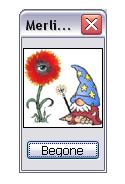
Adobe Photoshop 8 Easter Egg - Merlin?
1. Open Adobe Photoshop.
2. In the Layers/Channels/Paths palette, click the options arrow button.
2. Press and hold alt.
4. Click Palette Options.
| User Rating: |
7.4
7.4/10 with 33 votes
|
| Contributed By: |
Anonymous on 04-16-2006 |
| Reviewed By: |
MrHappyHamster, Axel |
Special Requirements: Adobe Photoshop 7 & 8
Pictures and Videos
 |
| Merlin - Dwide Schrude |
Do you have another one?
Send us a picture or video of this Egg!
Comments