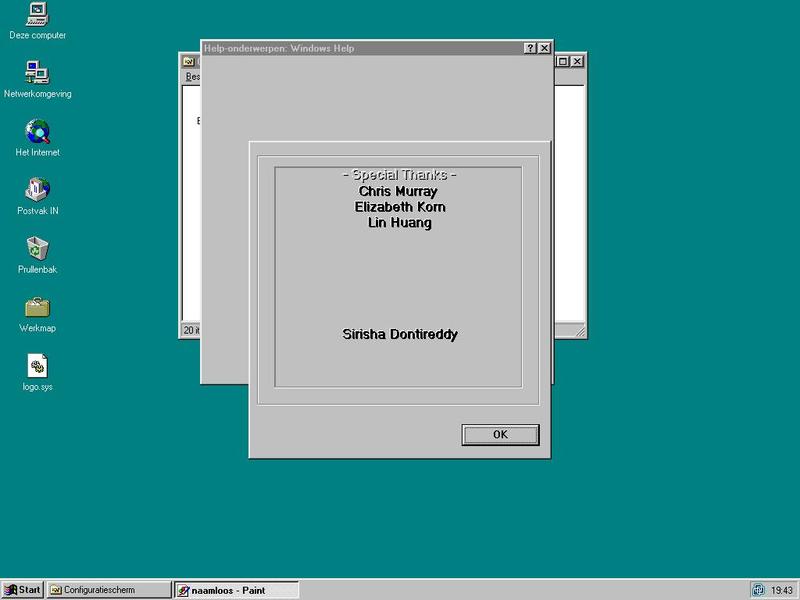
Windows 95 Easter Egg - The Shadow Knows
1. Go to the start menu and click Help.
2. Click the tab marked Find.
3. At this point you may get a wizard asking you to set up Find. If you do, use the defaults.
4. In the Find dialog box click Options.
5. Set the top section to: All the words you typed in order, set the next section to: begin with the characters you typed.
6. Click OK to return back to the main dialog box, and enter in the top box exactly: Who knows who built this tool?
7. Hold down Shift and Control while clicking the Clear button.
8. Click Options again, and set the top section to: At least one of the words you typed, set the next section to: contain the characters you type. And click OK to return back to the main dialog box.
9. In the top box enter exactly: The Shadow knows!
10. Hold down Shift and Control while clicking the Clear button.
| User Rating: |
3.7
3.7/10 with 567 votes
|
| Contributed By: |
Michael Johnell on 07-15-1999 |
| Reviewed By: |
Webmaster |
Special Requirements: Windows 95
Pictures and Videos
 |
| The easter egg working on Windows 95 Dutch edition |
Do you have another one?
Send us a picture or video of this Egg!
Comments