|
Matlab Easter Egg - Human Image in Matlab Pictures
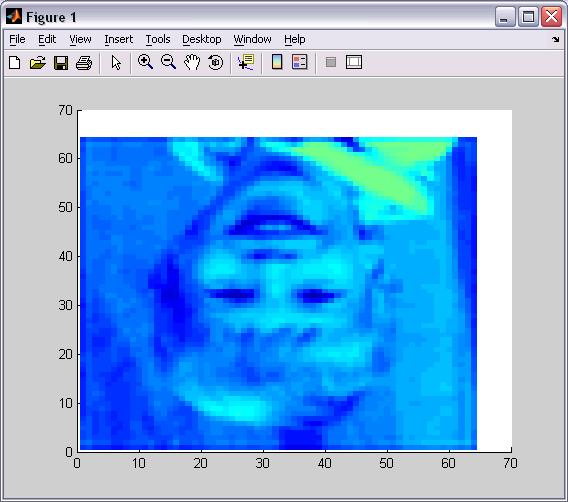
1. Type "image" with no parameter
Pictures and Videos
Do you have another one? Send us a picture or video of this Egg! Commentskevcat writes:
Actually, doing just the instructions is a very poor representation of this 'egg'. If you would like to see this image right side up and the rest of the egg (several more hidden images) follow these steps:
load durer;colormap(map) %This just makes the image black and white.%
id = get(image,'CData');image(id); %Displays the image told of in the above egg, but this time right side up!%
And now repeat this stament several times:
id = (id - floor(id))*32;image(id);
In order, these are the hidden pictures:
Dog 1
Dog 2
mathworks logo
Child (bad coloration)
highy garbled durer's matrix
4 cells
Young girl (most clear of these last few images)
3 people (yes the blob on the right hand side is a person)
Very garbled person image
The word 'Original' indicating the final picture (the rest of the image is just a bit of garbage caused by compressing the images in this way.)
I hope you find this interesting.
37 of 39 people found this comment helpful. Did you?
dorin writes:
Actually, the thing works with any image that you have loaded, and it looks much better if you have another image before. So, just do ">>image(x)"; where x is any image file, then do ">>image", now it looks really good.
14 of 21 people found this comment helpful. Did you?
myth writes:
To find out more on this refer to the blog,
Steve on Image Processing
The Story Behind the MATLAB Default Image
October 17th, 2006
http://blogs.mathworks.com/steve/?p=87
4 of 4 people found this comment helpful. Did you?
|
||||||||||