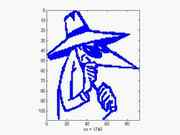
 Spy vs Spy
 -
9.1/10 with 26 votes
open matlab command window and type spy.
alternately ...
open a new .m file
type: spy
save and run
should get a plot of one of the spies from spy vs spy
1 Comments -
read or post
Conway`s Game of Life -
7.8/10 with 6 votes
Open Matlab and type "life" in the command promt. Conway`s Game of Life presented by the british mathematician John Horten Conway will activate.
Click 'start' to play this zero- player game.
 Philosophical Guidance
 -
7.2/10 with 201 votes
1. Enter 'why' at the matlab prompt (without quotes)
2. Repeat ad nausea
2 Comments -
read or post
 Funny Reshape (R11)
 -
6.8/10 with 80 votes
The reshape function only works with positive size arguments. However, if you try it with negative size arguments, you do not get your typical boring MATLAB error message. You even get three different answers !
First try:
» reshape(1, [-1 -1])
???...
more
2 Comments -
read or post
 Toilet Simulation
 -
6.4/10 with 28 votes
Type
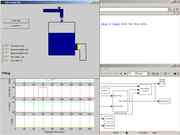
>> toilet
in the prompt and wait for a toilet simulation to pop up. It comes with flushing sounds and everything! happy flushing!
-KC
1 Comments -
read or post
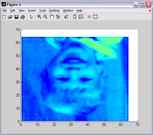 Human Image in Matlab Pictures
 -
6.2/10 with 139 votes
1. Type "image" with no parameter
3 Comments -
read or post
Make It Sing -
4.5/10 with 42 votes
1. Just type "lala" at the prompt
2. It will say: stop singing and get back to work!
3. Now type "lalala" at the prompt, and be surprised
4. You might need a soundcard or speakerdriver!
1 Comments -
read or post
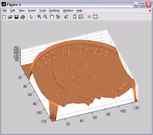 Penny
Penny -
4.5/10 with 56 votes
1- Type penny on the command line.
2- Press Enter 4 times and wait computer to draw the plot, its 3D version of head side of a penny..
1 Comments -
read or post
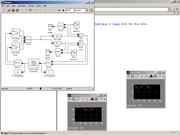 Shower Simulation
 -
4.2/10 with 14 votes
1. Open up Matlab and go to the front screen.
2. Type "shower" (without the quotes)
3. A shower simulation will pop up.
4. You must then run the simulation by pressing the "run simulation button" on the largest of the three screens that pops...
more
-
4.2/10 with 20 votes
1. Do the above "Make it sing" by Robbert Lagerweij by typing "lalala"
2. Note again you must have matlab able to produce sound for this to work
3. Type in "sound(y,16000)" and it should sing a little bit faster
4. Note you can replace the 16000...
more
-
3.2/10 with 6 votes
1. Type lalala
2. Hear the allelujah! ;-)
Viper -
2.8/10 with 65 votes
Type viper at the matlab prompt. A picture of
a car (Viper) appears.
1 Comments -
read or post
Response to Swearing -
1.7/10 with 138 votes
1. Start matlab
2. At prompt type "fuc*" (the real swear word)
3. Matlab will respond "Your place or mine?"
